Showing posts with label Software. Show all posts

Tuesday, November 30, 2010

OnOne DSLR Camera Remote For The iPad Coming in December


OnOne is also planning on expanding their popular DSLR Camera Remote application for the iPad.  Currently available for the iPod Touch and iPhone, this application allows the remote triggering of select Nikon and Canon DSLRs from these mobile devices.  Adjust settings, capture images and view them on the iPad.  The size of the iPad display will make this one helluva cool thing to utilize.

A new, separate version of DSLR Camera Remote specifically designed just for the iPad takes full advantage of the larger screen on the iPad. With DSLR Camera Remote HD for iPad, the ability to start, stop and monitor video from your DSLR camera is included at no additional charge.

DSLR Camera Remote HD is expected to be available in the iTunes App Store in December 2010.

OnOne Release New Perfect Photo Suite


If you own a copy of Plug-In Suite 5 from OnOne you are entitled to a free upgrade to their new product Perfect Photo Suite 5.5.  OnOne has updated the popular plug-in package with a reworking of the Genuine Fractals application called Perfect Resize 7.  This new application allows for better enlargements with little or no loss of image quality.  One new feature I like is the ability to crop to specific sizes during the enlargement process such as 16x20 or larger.  You can also adjust a variety of effects within Perfect Resize 7.  PhotoTools has been updated to 2.6 and create album layouts with PhotoFrame 4.6.  This is a feature I can’t wait to start using.  Many of these updates can be utilized as stand-alone products and not just plug-ins.

OnOne also announced that in early 2011 they will release Perfect Layers which will add layers capabilities to Lightroom and Aperture.  I’ve been using these products for a while now and not even to their fullest potential.  There is a lot of power in this suite and it's worth every penny. 
OnOne also offers hundreds of free add-ins and presets.  Get more information using the link below.


Monday, October 11, 2010

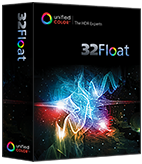
Unifed Color Releases 32Float HDR Plug-in for Adobe Photoshop

HDR is all the rage, and Unified Color has thrown their hat in the software ring.  32 Float is the company’s affordable answer as an Adobe Photoshop Plug-in.  It is available now for $99.99 but I would recommend taking advantage of their 30-day free trial download to “kick the tires”.  Below is the official hype from the vendor.

32 Float™ is the first fully featured 32-bit color editing plug-in for Adobe® Photoshop® based on Beyond RGB™ color space. With 32 Float you can adjust color, brightness and contrast while maintaining a full 32-bit workflow. It accepts 32-bit HDR or 8/16 LDR images from any application and can produce crisp, photo-realistic images without ha­los or color shifts. This software package includes the Photoshop filter plug-in and the BEF file format plug-in for CS3, CS4 and CS5.

Key Features
•Provides unprecedented 32-bit image editing tools for Photoshop via filter plug-in.
•Compatible with Photoshop CS3, CS4 & CS5.
•Full support for 64-bit computing architecture (x64) on Mac and Windows.
•Enables local HDR editing on 32-bit images via layer masks prior to tone mapping or return tone mapped images to 16 or 8-bit to Photoshop.
•Accepts 8, 16 & 32-bit RGB images as input from any source in Photoshop.
•HDR image brightness histogram with visible range indicator and digital readout for RGB and Bch values.
•Based on Unified Color's patented Beyond RGB™ color model, allowing for tonal adjustments without color shifts or halos.
•Adjust HDR tonal range with Brightness/Contrast, Local Contrast, Shadow/Highlight and Veiling Glare correction tools.
•Adjust HDR color with White Balance, Saturation and Selective Color Tuning Controls.
•Best of class halo reduction algorithms.
•Perform Sharpening and Noise Reduction on 32-bit Images.
•Single click Dynamic Range Mapping tool.
•Save favorite settings as presets.

SYSTEM REQUIREMENTS:
OS: Intel-based Mac OS 10.5 (Leopard) or 10.6 (Snow Leopard), 32-bit or 64-bit Windows (XP, Vista, Windows 7). 
Adobe Photoshop: Requires CS3, CS4 or CS5 (Note: 32 Float will not work with Photoshop Elements). 
CPU: Dual-core 2.0GHz minimum; quad-core, 2.8GHz is recommended for best performance. 
RAM: 2GB minimum, recommend 4GB.
Video: Recommend 128M video memory minimum.


Kubota Releases Vintage Delish Presets for Adobe Lightroom


Kubota Image Tools has released “Vintage Delish” a package of new presents for Adobe Photoshop Lightroom.  I've found Lightroom presets to be invaluable to my workflow whether as user-created or pre-configured downloads.  The images above show the effects of their "66 Beetle" preset.  Top image is "Before" with the bottom image displaying the "After" effects of the preset.  Available for $39, below is the company’s description of their product. 

Introducing 42 brand new Kubota Lightroom Presets that scream "modern retro". Evoking nostalgia from decades spanning as far back as 100 years, these Presets will transport your images with fashionable, highly sought-after looks. From handcrafted flavors channeling the days of the Holga to groovy old film styles reminiscent of sultry polyester, every creative Develop Preset is fully compatible with Adobe® Lightroom 3 and will be the perfect compliment to your existing collection of Kubota V3 Presets.

Kubota Lightroom Presets – Vintage Delish includes: 
      
•  Color-toned black & whites 
      
•  Faded antique effects 
      
•  Burnt & rusty colors 
      
•  Touches of grain 
      
•  Softening and glowing 
      
•  Deep, bold vignettes
      
•  Warming tones 
      
•  Funky cross process styling 
      
•  And many other creative surprises!

Tuesday, September 21, 2010

Adobe Announces Photoshop Elements 9


Official Company Press Release.
Adobe Systems Incorporated has announced Adobe® Photoshop® Elements 9 software for Windows® and Mac, offering a complete photo solution to anyone who wants to organize, edit, create and share extraordinary photos. With the newest version of the No. 1 selling consumer photo-editing software,* Adobe delivers powerful new technology to equip every consumer with the ability to achieve professional results easily and quickly.
“The Photoshop brand has been creating groundbreaking imaging magic for 20 years, and Photoshop Elements has been making that magic accessible to mere mortals for nearly a decade,” said Kevin Connor, vice president of product management for Digital Imaging, Adobe. “The Content Aware Fill technology introduced with Photoshop CS5 is one of our most exciting innovations ever, so we’re thrilled to be able to make it accessible to photo and video enthusiasts in this latest Elements release.”
Image Intelligence for Easy Editing
- Photoshop Elements 9 uses powerful technology to make even the most complex results achievable for anyone. Adapted from Photoshop CS5’s celebrated Content Aware Fill feature, the content intelligence in the Spot Healing Brush analyzes what’s in the image and quickly de-clutters or repairs photos (like removing tourists from a crowded scene or an obstruction, such as a telephone pole) with a swipe of a brush, magically filling in the background. The same content intelligence synthesizes missing pixel information to create a stunning panorama from multiple photos, without leaving any gaps or blank spaces.
In addition, the new Photomerge Style Match turns drab photos dramatic by analyzing characteristics of any photo, such as contrast or color tone, and automatically applies those qualities to another photo, allowing users to easily replicate any photo style. Several new Guided Edit options walk users step-by-step through the process of achieving cool editing effects such as Out of Bounds, making an element of a photo appear to leap off the page in 3D, creating pop art masterpieces, or retouching made easy via the perfect portraits feature. In addition, users now have access to Layer Masks for compositing richly layered photos.
Organization Made Easy -
For the first time, the popular Photoshop Elements Organizer is available on both the Windows and Mac platform, to help users quickly organize, find and display photo and video clips from one convenient location. The Auto-Analyzer takes the work out of finding the best shots by automatically searching a user’s collection of photos and assigning a tag based on quality, such as lighting, focus or contrast. People Recognition also automatically creates People tags, so you can find your favorite people fast and it becomes more intelligent over time as it learns to associate specific faces with names.
Sharing Photos Virtually Anywhere
- After users make their photos look better than ever, they have various sharing options, including posting photos directly to Facebook or creating one-of-a-kind interactive Online Albums with animated templates. In addition, users can share their memories with personalized photo creations like scrapbook pages, photo books, calendars and cards that can easily be printed from home or via online print service providers. The flexible photo creation workspace allows users complete control over how they design their photo books, by automatically placing photos within a template or providing access to any Photoshop Elements editing feature from directly within the layout mode.
Adobe Photoshop Elements 9 Plus 
- For added convenience, now Photoshop Elements 9 Windows and Mac users have the option to purchase Plus, which offers 20GB of storage for automatic online backup and sharing (up to 15,000 photos or four hours of DVD-quality video), as well as ongoing deliveries of new tutorials, artwork and interactive online templates sent directly to the desktop software. A benefit to all Photoshop Elements users is virtually anywhere access to photos and videos online or via select mobile devices at Photoshop.com.
Pricing and Availability
- Adobe Photoshop Elements 9 for Windows and Mac is available now at www.adobe.com, and will also be available soon at retail outlets such as Amazon.com, Apple (Mac only), Best Buy, Costco, Fry’s, New Egg, Office Depot, Office Max and Walmart. Photoshop Elements 9 Windows and Mac is available for a suggested retail price of US$99.99, and users can purchase Plus from within the product for US$49.99/year. Plus is available in the U.S. only. 

Tuesday, August 31, 2010

Adobe Release Photoshop Lightroom 3.2 Update

Adobe has released an update for Photoshop Lightroom 3. The 3.2 update now available for download provides additional camera support for several new camera models including the Panasonic DMC-LX5, Sony NEX-5 and Pentax 645D. There are also numerous corrections for issues introduced within Lightroom 3.0, over 120 new lens profiles, and it includes the ability to directly publish to Facebook.

If you currently own Lightroom 3 and have it configured to autoupdate, you will be prompted to download and install the update at next launch of the application. To manually update, open the Help menu and select ‘Check for Updates’.

In addition to the Lightroom update Adobe has also released Adobe Camera Raw 6.2 update.  This will also be required if your digital workflow includes editing files in Photoshop directly from Lightroom.  This can be updated from within Photoshop or downloaded directly from the Adobe website.

Tuesday, August 10, 2010

New Photography Trainer App for iPhone and Android

A new app for iPhone and Android devices allows photographers to ‘learn as they go’ when out and about with their DSLR. According to the vendor it’s like having a photography instructor in your pocket (insert inappropriate joke here). Below is the official company press release and link to the site.

Official Press Release:
Trailblazer Media announces the launch of the “Photography Trainer” app for iPhone and Android. The significant increase in D-SLR sales over the last several years has led to consumers looking for innovative ways to learn photography and how to use their cameras. Photography Trainer is designed to teach photographers how to operate their D-SLRs when they’re out with their cameras and taking pictures. The app is an interactive step-by-step guide on how to set the camera to capture photos with impact – users tell it the type of subject being photographed and the lighting they’re in, and the app guides them on how to set items like shutter speed, aperture, ISO, focus, etc. It helps users get out of “Auto Mode” to allow for more creative photography.

Unlike any other photography app, Photography Trainer explains in detail “why” to use a given camera setting, for example, using a fast shutter speed to freeze fast-moving action or a wide aperture to blur the background and make the subject “pop”. Over time, users learn the principles and become better photographers. The app is written and designed by full-time professional photographer, Paul Timpa, as a way to enable anyone to capture better images. It doesn’t require an internet connection so it can be used anywhere in the world while traveling.

Paul Timpa has helped thousands of photographers through photography tutorials on the web. He’s now created this app to take advantage of the interactive nature of mobile phone apps and the fact that photographers will have their phones with them whenever they’re out taking pictures.

In addition to the “interactive training” section of the app, Photography Trainer also features a gallery of dozens of professional photographs each with complete shooting data such as shutter speed and aperture, and exactly why those settings were chosen for that particular photo. This enables the user to see how settings affect the final image.

A third section of the app, “In-Depth Techniques” dives into further detail on a wide variety of topics including Night Photography, Sports and Action Photography, Composition, Capturing Sharp Photos, and more. It also includes a detailed HDR tutorial with complete step-by-step instructions and example photos.

Photography Trainer is available for iPhone, iPod Touch, and Android devices for $0.99 by searching on “Photography Trainer” in the iPhone app store or Android Market.

App Website: http://www.trailblazermedia.com/

New Release Candidates for Camera RAW and Lightroom At Adobe Labs

If you’re looking to get a jump on the latest updates for Adobe Camera RAW and Adobe Photoshop Lightroom, Adobe Labs has made the Release Candidates available. Twelve additional camera models have been included such as the Pentax 645D, Leica S2, Sony NEX and Samsung NX10 to name a few. In an attempt to sync the version number with Camera RAW 6.2, the next Lightroom release will be “3.2”.

Other improvements are added lens profiles and a laundry list of bug fixes.  Visit the Adobe Labs pages below for more details and the download files.

Download Adobe Camera RAW v6.2 Release Candidate

Download Adobe Lightroom v3.2 Release Candidate

Monday, August 09, 2010

Apple Releases v3.3 Camera RAW Update

Apple has released a digital camera RAW compatibility update version 3.3 for Aperture 3 and iPhoto '09. Eight new cameras including the Sony Alpha NEX-5/3, Samsung NX10 and Panasonic Lumix DMC-G2 are now supported.The update is available for immediate download from Apple's website.


Tuesday, August 03, 2010

Shameless Plug For New Scott Kelby Lightroom and Photoshop CS5 Books

Scott Kelby’s “The Adobe Photoshop Lightroom 3 Book for Digital Photographers” is now available online and in bookstores.  I believe Kelby Training is still offering a free CD of presets if you order now.   I’m already using Lightroom 3 and have the book and presets CD on the way.  His tips and tricks make using the application within my digital workflow that much more efficient.   If you’ve never used Lightroom or use it and never utilized Kelby’s previous books on the subject, I recommend it.  This new version includes his “7-Point System” for Lightroom which allows you to obtain quality, repeatable results quickly.

Another shameless plug is for his upcoming “Adobe Photoshop CS5 Book for Digital Photographers” due out soon.  You can pre-order on the Kelby Training site and receive a free “Photoshop CS5 7-Point System for Camera Raw” DVD.  Of course both books are cheaper if you are a NAPP member. 

Some new things to learn in CS5 include:

•               Processing HDR (High Dynamic Range) images using CS5’s new Merge to HDR Pro.
•               How to master CS5’s new Content-Aware Fill.
•               How to color correct any photo in just three clicks with the included gray card.
•               How to take advantage of all the new Camera Raw features to process RAW images like a pro.
•               A special bonus chapter with Scott’s own Ps CS5 workflow.

Visit Kelby Training to find out more about their available books, DVDs and on-line courses.  They have so much content it’s hard to find the time to learn it all.

Friday, June 11, 2010

NAPP Photoshop Lightroom 3 Learning Center

With the recent release announcement of Adobe’s Photoshop Lightroom 3 it wasn’t long before NAPP (National Association of Photoshop Professionals) would have several resources available to Lightroom users.  NAPP has setup a new Lightroom 3 Learning Center, new Kelby Training Lightroom 3 online training courses and added a new Lightroom 3 Live! Tour which kicks off July 12th in Florida. 

Scott Kelby has also announced the upcoming release of his new “Lightroom 3 Book for Digital Photographers”.

Adobe Releases Retail Version of Photoshop Lightroom 3

Adobe has released Photoshop Lightroom 3.  This is Adobe’s excellent nondestructive image editing and organization product.  I’ve been a Lightroom user since the first version and have been working with the 3 Beta for quite a while now.  I’m glad to see these new features are now available in the retail version.

New Features:
  • Accelerated Performance
  • Improved Image Importing
  • Tethered Shooting
  • Support for DSLR video files
  • Lens Correction
  • Improved Sharpening
  • Perspective Correction
  • Improved Printing
  • Improved Slide Show Creation
  • Image Watermarking

If you’re already a Lightroom user you can upgrade for only $99, while the full version for first time users is $299.

Wednesday, May 12, 2010

onOne To Provide Plug-In Upgrades For Adobe CS5

onOne will provide a CS5 update to their popular Photoshop Plug-Ins.  Here is an excerpt from their website.

We expect to have Photoshop CS5 compatible updates for the current versions of our plug-ins available for download on May 20, 2010.

onOne Software is committed to providing timely compatibility updates for current versions of our products within 30 days of the availability of Photoshop CS5. On April 13, 2010, we announced that all of our currently shipping Photoshop plug-ins will be compatible with the new Adobe Photoshop CS5 and Photoshop CS5 Extended software announced April 12, 2010 by Adobe. Specifically, the following Photoshop plug-ins from onOne Software will be compatible with Photoshop CS5 and Photoshop CS5 Extended.


Tuesday, May 04, 2010

Lens Profile Creator Available From Adobe Labs


Adobe Labs now has the prerelease of a its new Lens Profile Creator available for download.  This tool provides the ability to create custom lens profiles for the new Photoshop CS5, Camera Raw and Lightroom. A lens profile describes the types of optical aberrations that exist in a particular lens and prescribes how to correct the lens distortions in an image captured from the same lens.

The process for creating the profile is to capture a set of checkerboard images using the specific lens and camera, converting the RAW images to DNG and importing into the Lens Profile Creator. 

Visit Adobe Labs to download and try out.

Friday, April 30, 2010

Adobe Creative Suite 5 Now Fully Available


Adobe has finally made their Creative Suite 5 family of applications available to the masses.  I can't wait to get my hands on the new versions.  See the official company press release below.  NAPP (National Association of Photoshop Professionals) has a great online CS5 Learning Center as well detailing the updates and providing video tutorials.

SAN JOSE, Calif., — April 30, 2010 — Adobe Systems Incorporated (Nasdaq:ADBE) today announced the availability of the Adobe® Creative Suite® 5 product family, the highly-anticipated release of the industry-leading design and development software for virtually every creative workflow. With more than 250 new product features, the Creative Suite 5 product line brings exciting full-version upgrades of flagship creative tools and workflow enhancements to designers and developers — enabling the creation, delivery and optimization of content across media for greater impact and results.

The Adobe CS5 product family is powering the creation of content and applications for the upcoming releases of Flash® Player 10.1 and Adobe AIR® 2, which are optimized for high performance on mobile screens and designed to take advantage of native device capabilities for a richer, more immersive user experience. Featuring integration with online content and digital marketing measurement and optimization capabilities for the first time, Creative Suite 5 products include access to signature Omniture® technologies, to capture, store and analyze information generated by websites and other sources. Adobe Creative Suite 5 products also integrate with Adobe CS Live*, a set of five innovative online services that accelerate key aspects of the creative workflow and enable designers to focus on creating their best work (CS Live services are complimentary for a limited time).

The Creative Suite 5 line-up includes five new versions: Creative Suite 5 Master Collection, Creative Suite 5 Design Premium, Creative Suite 5 Web Premium, Creative Suite 5 Production Premium, Creative Suite 5 Design Standard, as well as 15 point products and associated technologies. Creative Suite now includes a brand-new component, Adobe Flash® Catalyst™, a professional interaction design tool that allows designers to rapidly create expressive Web application interfaces and design interaction without writing code.

“We’ve seen from early customer reaction that Creative Suite 5 continues to inspire the design and developer world by combining time-saving workflow and productivity features with astonishing new capabilities, such as Content-Aware Fill in Photoshop CS5, that really push the creative envelope,” said John Loiacono, senior vice president of Creative Solutions at Adobe. “Whatever the media, CS5 is ensuring that publishers and creatives can deliver stand-out work and build great businesses around their unique digital assets and content.”

Also available as part of the Creative Suite 5 product family, sold separately or in one of the five Creative Suite editions, are new versions of the Adobe Creative Suite tools, including Photoshop® CS5, Illustrator® CS5, InDesign® CS5, Flash Catalyst CS5, Flash CS5 Professional, Dreamweaver® CS5, Adobe® Premiere® Pro CS5, After Effects® CS5 and more.

The Creative Suite 5 products offer more than 250 new features that embrace interactivity, enhance performance and maximize the impact of creative content and digital marketing campaigns. InDesign CS5 powers the transition to digital publishing with new interactive documents and enhanced electronic reader device support. Image creation and editing get a boost with Truer Edge technology in Photoshop CS5, which offers better edge detecting technology and masking results in less time. Photoshop CS5 also includes the ability to remove an image element and immediately replace the missing pixels with Content-Aware Fill. New stroke options allow Adobe Illustrator CS5 users to create strokes of variable widths and precisely adjust the width at any point along the stroke. New Text Layout Framework in Flash Professional CS5 provides professional-level typography capabilities with functions like kerning, ligatures, tracking, leading, threaded text block and multiple columns. In addition, Dreamweaver CS5 now supports popular content management systems Drupal, Joomla! and WordPress, allowing designers to get accurate views of dynamic Web content from within the product.

Performance improvements abound in the Creative Suite 5 product line with engineering breakthroughs, including native 64-bit support on both Mac and Windows® in Adobe Photoshop, Adobe Premiere Pro and After Effects, that allows users to work more fluidly on high-resolution projects. The much anticipated NVIDIA® GPU-accelerated Adobe Mercury Playback Engine allows Adobe Premiere Pro CS5 users to open projects faster, refine effects-rich HD sequences in real time and play back complex projects without rendering. The revolutionary timesaving Roto Brush tool in After Effects helps users isolate moving foreground elements in a fraction of the normal time.

Accelerate Creative Workflows with Adobe CS LiveAdobe Creative Suite 5 products integrate with Adobe CS Live*, a set of five online services that accelerate key aspects of the creative workflow and enable designers to focus on creating their best work. CS Live online services are complimentary for a limited time and currently include: Adobe BrowserLab, Adobe CS Review, Acrobat.com, Adobe Story and SiteCatalyst® NetAverages™ from Omniture. Adobe CS Review enables online design reviews from directly in Creative Suite 5 applications, while Adobe BrowserLab is an indispensable tool for testing website content across different browsers and operating systems. NetAverages provides Web usage data that helps reduce the guesswork early in the creative process when designing for Web and mobile. Adobe Story is a collaborative scriptwriting tool that improves production and post-production workflows in CS5 Production Premium. Access to Acrobat.com services, such as Adobe ConnectNow Web conferencing, is also included to enhance discussion and information exchange with colleagues and clients around the globe.

Create and Deliver to More Mobile PlatformsUsing Flash Professional CS5, designers and developers can create, test and deliver Web content across a wide range of mobile platforms and devices such as smartphones, tablets, netbooks and other consumer electronics. Users can look forward to deploying content in the browser with Flash Player 10.1 and as a standalone application with AIR 2.

Pricing and Availability


Adobe Creative Suite 5 products and its associated point products will be available through Adobe Authorized Resellers, Adobe Direct Sales and the Adobe Store at www.adobe.com/store. Estimated street price for the suites is US$1899 for CS5 Design Premium, US$1799 for CS5 Web Premium, US$1699 for CS5 Production Premium, US$1299 for CS5 Design Standard and US$2599 for Master Collection CS5. Upgrade pricing, volume licensing and education discounts are available. Adobe CS5 products integrate with Adobe CS Live online services which are complimentary for a limited time. For more detailed information about features, OS support, upgrade policies, pricing and international versions please visit: www.adobe.com/go/creativesuite.

Sunday, April 25, 2010

Apple Releases RAW Compatibility Update 3.2


Apple has released the Digital Camera RAW Compatibility Update 3.2 for Aperture 3 and iPhoto ’09.  Among the newly supported camera models are the Canon EOS Rebel T2i and 550D; Leica S2; Olympus E-450, E-600 and E-620; as well as several Sony Alpha DSLR models such as the A330, A380 and A450.  

Thursday, April 08, 2010

Adobe Creative Suite 5 Coming Monday April 12th

Monday is the big day for Adobe Creative Suite users. Creative Suite 5 is due to be unveiled Monday April 12th and the buzz is that photographers will fall even more in love with this version of CS. Follow the link below to register with Adobe and access informative preview information and event times. Also, Scott Kelby and the NAPP Crew will provide a Photoshop User CS5 Learning Center site to find out loads tutorials, interviews and information about the new product.

Adobe Announces 'Release Candidate' Versions of Lightroom, Camera RAW and DNG Converter

Adobe has announced the release of new 'Release Candidate’ versions of Photoshop Lightroom 2.7, Camera Raw 5.7 and DNG Converter 5.7 that are available for immediate download from Adobe Labs. They provide additional RAW support for 9 more cameras, including the Canon EOS 550D, Panasonic G2 and Olympus E-PL1. According to Adobe, the term 'Release Candidate' defines the downloads as well tested but not yet final retail versions. Also, the Lightroom 3 Beta Release 2 is available for download as well.


Wednesday, March 24, 2010

Adobe Releases Photoshop Lightroom 3 BETA v2

Adobe has provided the 2nd public Beta of Photoshop Lightroom 3 application for immediate download from its Adobe Labs site. Lightroom 3 will be based around a new processing engine and the second iteration adds luminance noise reduction to the color noise reduction options that appeared in the initial beta. The latest beta also supports tethered shooting for a number of Nikon and Canon DSLRs, enables importing and management of video files and improves overall functioning of the software.

I really have enjoyed working with the initial Beta release and just downloaded version 2.  The full Beta 2 release can be downloaded directly from the Adobe Labs site and includes the latest press release and version information.

Adobe Announces Creative Suite 5

Adobe has announced Creative Suite 5, and will provide additional detail on Monday April 12th.  Adobe has also created a teaser website.  I can't wait to see what they've added to an already 'over-the-top' product.